Every time Claude Code explores a codebase, it spawns explorer sub-agents that grep, glob, and read individual files to figure out what's where. Each tool call burns tokens. One question like "where is useAuthcalled from?" can cost thousands of tokens before Claude lands on an answer.
CodeGraph fixes the loop. It pre-indexes your repo into a local SQLite knowledge graph of symbols, call relationships, and framework routes, then exposes that graph to your agent over MCP. Claude queries the graph in one tool call instead of scanning files one at a time. The numbers below are from the official repo benchmarks.
Repo: github.com/colbymchenry/codegraph
How Claude burns tokens without it
When Claude Code needs to understand a piece of your code, it doesn't have a map. It walks in and starts grepping. A typical exploration looks like this:
grep "useAuth" -r src/, find anything that mentions the symbolglob "**/*.tsx", list candidate filesread src/auth/session.ts, pull a file inread src/api/handlers/*.ts, pull more files ingrep "session" -r src/, narrow further
Every line above is a separate tool call, and every tool call burns tokens. On a large codebase, the cost compounds fast. The token bill for finding one function can run into the tens of thousands.
How CodeGraph fixes it
CodeGraph parses your repo with tree-sitter on first run and writes a SQLite knowledge graph: every symbol, every call edge, every framework route, every cross-file reference. It then registers itself as an MCP server, so any agent that supports MCP (Claude Code, Cursor, Codex, OpenCode, Hermes, Gemini, Antigravity, Kiro) can query the graph directly.
Instead of grep / glob / read across N files, the agent calls one MCP tool and gets back: the entry points, the callers, the callees, the framework routes that bind them, and the surrounding code structure. One round-trip. No file scan.
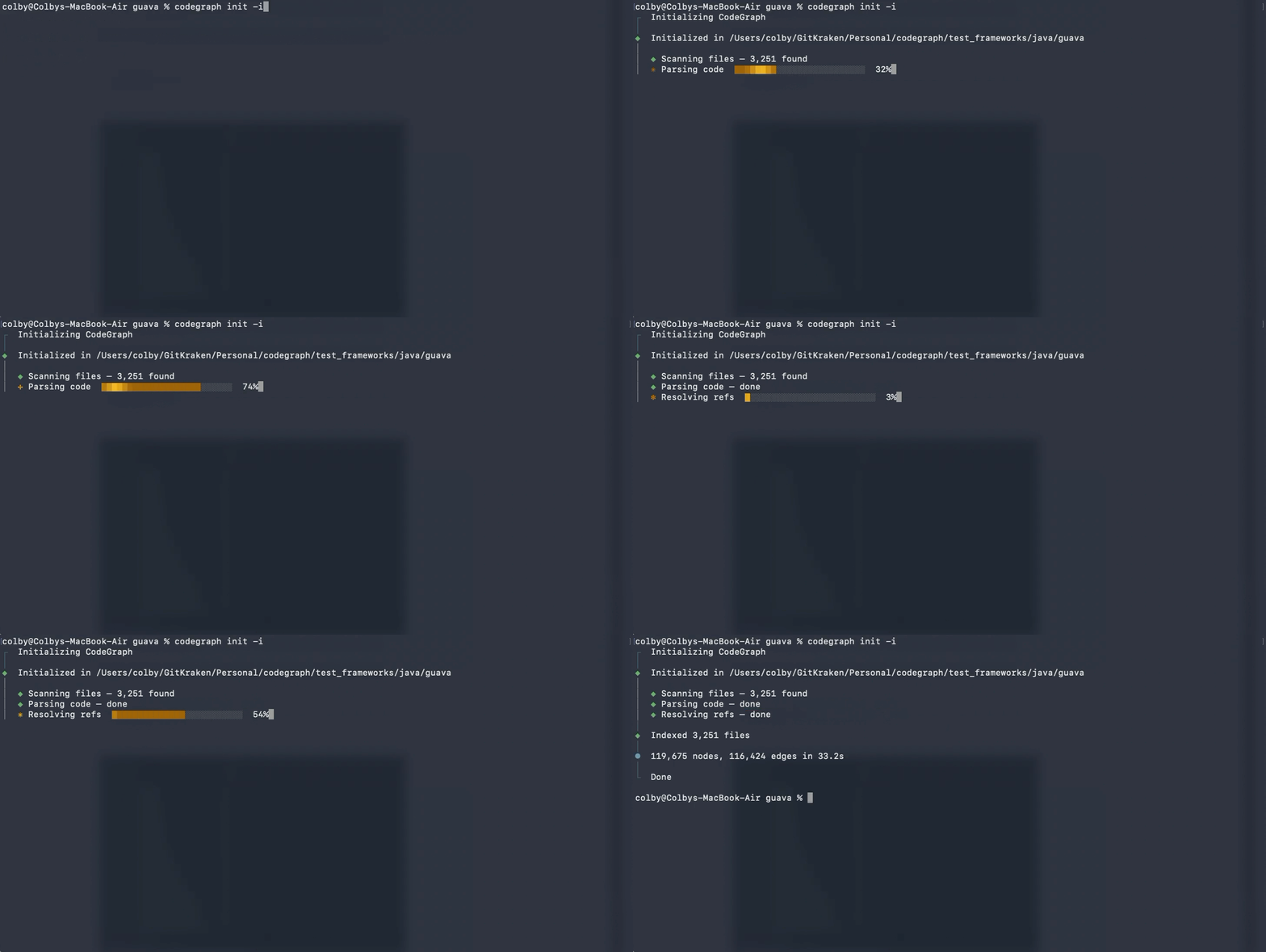
First-run indexing pass. CodeGraph parses every file, resolves references, and writes the SQLite graph. After this completes, queries are essentially free.
The benchmarks
The maintainer ran CodeGraph against 7 real codebases (TypeScript, Python, Rust, Java, Go, Swift) across small and large repos. Median of 4 runs each. These are the averages across all 7:
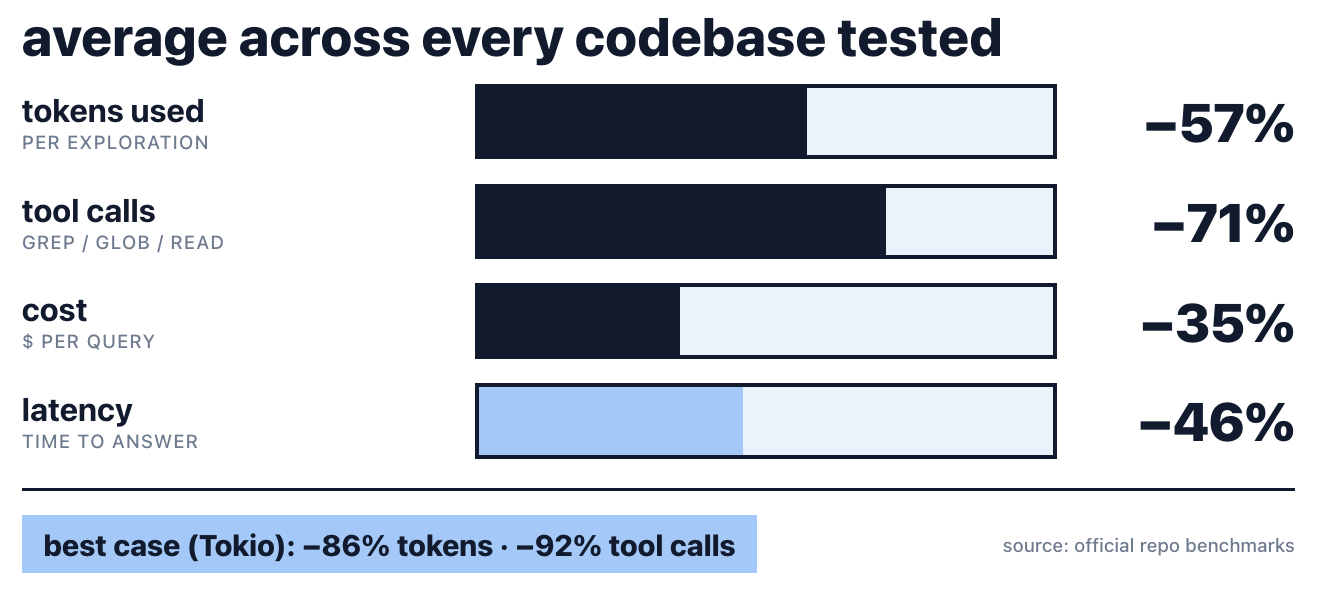
- −57% tokens used per exploration
- −71% tool calls (grep, glob, and read all collapse into one graph query)
- −35% cheaper per query
- −46% faster time-to-answer
Best case was Tokio (Rust): 82% cheaper, 86% fewer tokens, 92% fewer tool calls. Worst case was OkHttp (Java) at only 2% cheaper, 13% fewer tokens. Java syntax has more edge cases for the parser, which is the honest tradeoff with tree-sitter-based indexing.
Install (macOS / Linux)
One curl command:
curl -fsSL https://raw.githubusercontent.com/colbymchenry/codegraph/main/install.sh | shOr in any project directory, no global install needed:
npx @colbymchenry/codegraphWindows (PowerShell):
irm https://raw.githubusercontent.com/colbymchenry/codegraph/main/install.ps1 | iexNode.js is bundled. No runtime install required.
Wire it into Claude Code
Add CodeGraph to your ~/.claude.json under mcpServers:
{
  "mcpServers": {
    "codegraph": {
      "type": "stdio",
      "command": "codegraph",
      "args": ["serve", "--mcp"]
    }
  }
}
Restart Claude Code. From inside your project root, run codegraph init -i once to build the initial graph. The native file watcher (FSEvents on macOS, inotify on Linux, ReadDirectoryChangesW on Windows) handles every change after that with debounced auto-sync. Zero config.
What you actually get
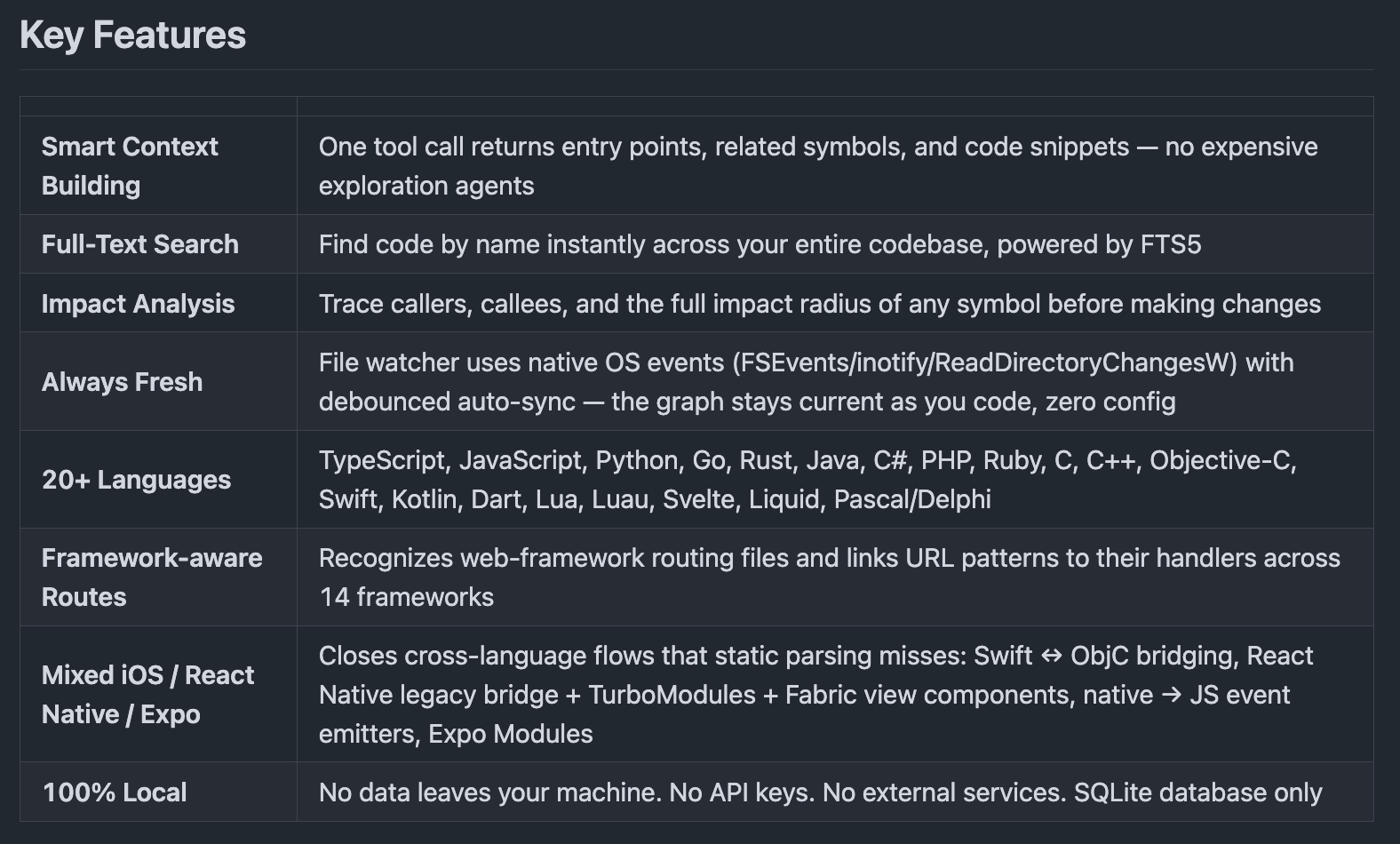
- Smart Context Building. One tool call returns entry points, related symbols, and code snippets. No expensive exploration agents needed.
- Full-Text Search. FTS5-powered symbol lookup across the entire codebase.
- Impact Analysis. Before changing anything, trace callers, callees, and the full impact radius of any symbol.
- Always Fresh. Native OS file events with debounced auto-sync. The graph stays current as you write.
- 20+ Languages. TypeScript, JavaScript, Python, Go, Rust, Java, C#, PHP, Ruby, C, C++, Objective-C, Swift, Kotlin, Dart, Lua, Luau, Svelte, Liquid, Pascal / Delphi.
- Mixed iOS / React Native / Expo. Closes cross-language flows that static parsing usually misses: Swift ↔ ObjC bridging, RN legacy bridge + TurboModules + Fabric, native → JS event emitters, Expo Modules.
- 100% local. No data leaves your machine. No API keys. No external services. SQLite only.
Framework-aware routes (14 frameworks)
This is the part most code-indexers skip. CodeGraph detects web-framework routing files and emits route nodes linked by referencesedges to their handler classes or functions. When you ask "who calls this controller?", the answer surfaces the URL pattern that binds it.
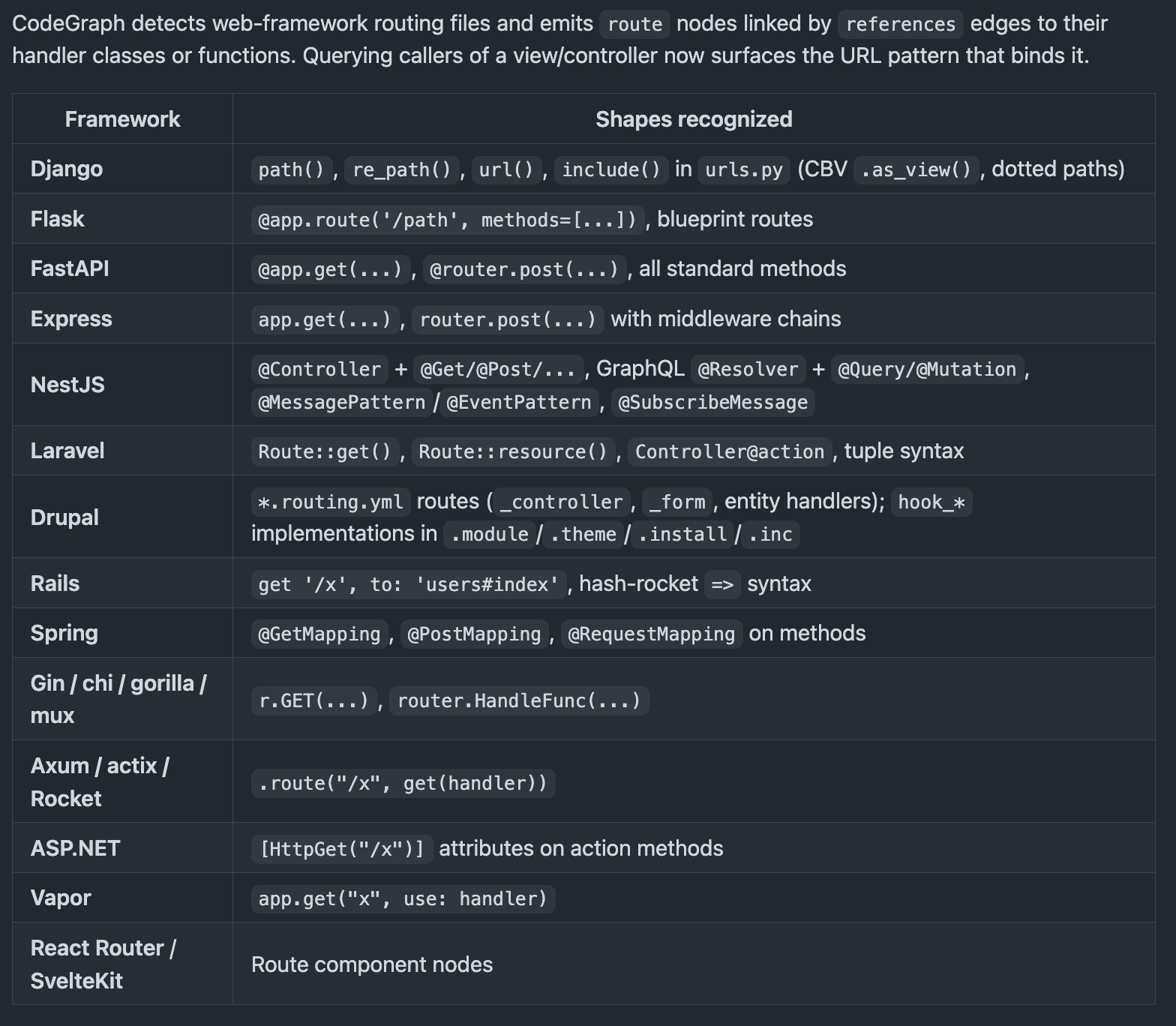
Covered out of the box: Django (urls.py, CBV .as_view(), dotted paths), Flask (@app.route, blueprints), FastAPI, Express, NestJS (controllers, GraphQL resolvers, message patterns), Laravel, Drupal, Rails, Spring, Gin / chi / gorilla / mux, Axum / actix / Rocket, ASP.NET, Vapor, React Router, SvelteKit.
The tradeoffs (the honest part)
- First-run indexing takes a minute or two on a big repo. The demo gif scans 3,251 files. After that, queries are essentially free.
- Tree-sitter parsing has edge cases. Funky syntax, macros, and meta-programming can leave gaps in the graph. The OkHttp benchmark (Java) is the public worst case at only 13% fewer tokens. For most queries it's a non-issue.
- One more dependency in the stack. CodeGraph itself needs to stay updated as tree-sitter grammars and your agent's MCP spec evolve.
- Best on medium-to-large codebases. On a 100-file repo, the savings are real but small. The compounding effect starts when your codebase has hundreds of files Claude would otherwise scan.
When this earns its keep
- You're running Claude Code (or any other MCP-enabled agent) against a medium or large codebase day after day.
- You feel the token bill compounding on exploration-heavy tasks (refactors, "where is this used", "what does this break").
- You want the agent to understand routes and framework wiring, not just files.
- You don't want any source code leaving your machine for indexing.
If you're writing Hello World scripts or single-file utilities, skip it. If you're working in a real codebase, this is the lowest-effort token win available right now.