If you're vibe coding with Claude and not using Git, you're one bad prompt away from losing everything. One wrong refactor, one overeager agent, and the version that worked an hour ago is gone.
I'm a software engineer shipping real code with AI every day, and Git is the thing that lets me move fast without fear. This is the version you actually need. Not the 50-command deep dive, just the handful that carry almost every session, plus the two tricks that change the game once you're comfortable.
Git is a save system for your code
That's the whole mental model. Every time you commit, you create a checkpoint. A snapshot of every file, frozen in time, that you can jump back to whenever you want. Mess something up? Roll back to the last good checkpoint and keep going.
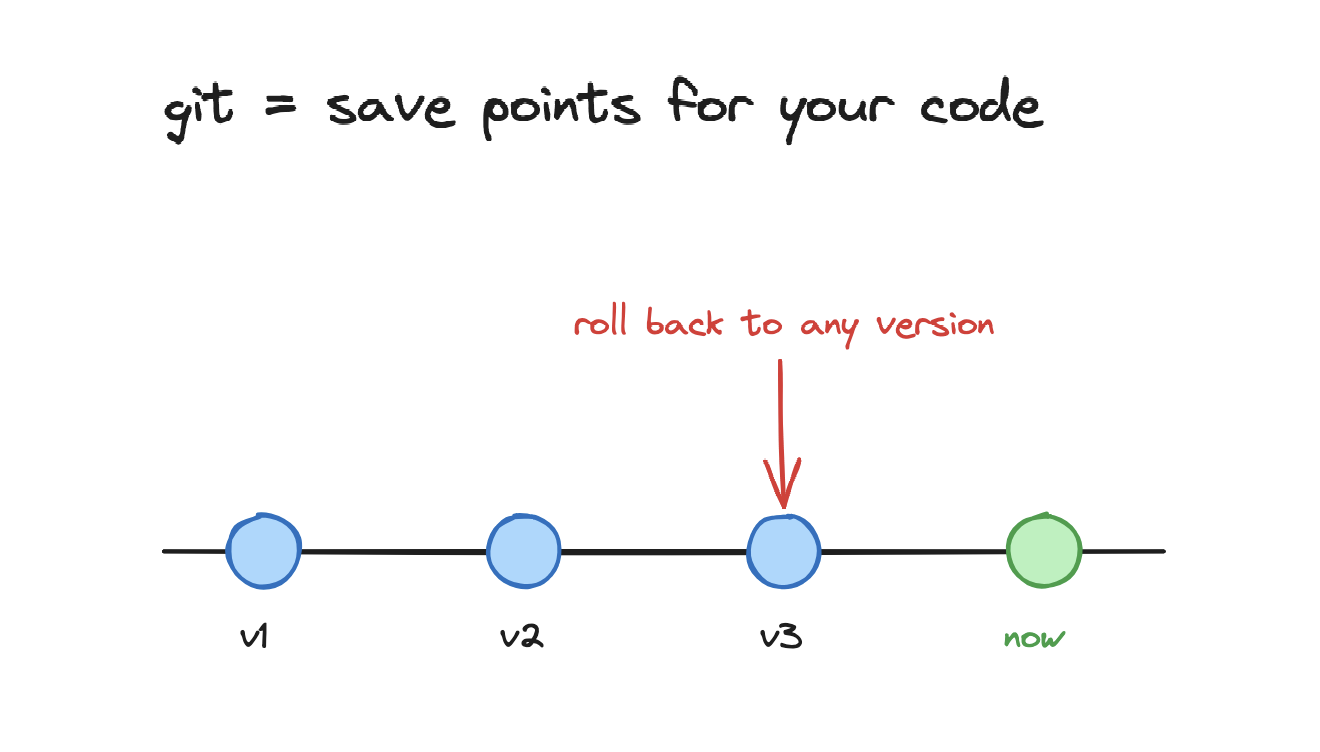
Think of it like save points in a game. You play forward, but the save points are always there to load from. The rest of this guide is just the commands that create those save points, branch off them, and back them up.
First, the one-time setup
You only do this once per machine. Install Git, tell it who you are, then point a project at it.
On macOS, install with Homebrew and confirm it worked:
brew install git
git --version
Set your name and email once. Every commit you make gets stamped with these:
git config --global user.name "Your Name"
git config --global user.email "you@example.com"
Now turn a project folder into a Git repository. Either start fresh in an existing folder, or clone an existing repo from GitHub:
# start tracking the folder you're in
cd my-project
git init

# or grab an existing project
git clone https://github.com/someone/their-repo.git
That's the setup. From here, you live in four commands.
The core loop: add, then commit
Saving in Git is two steps, not one. First you stage the changes you want to keep with git add. Then you commit them, which takes the actual snapshot.
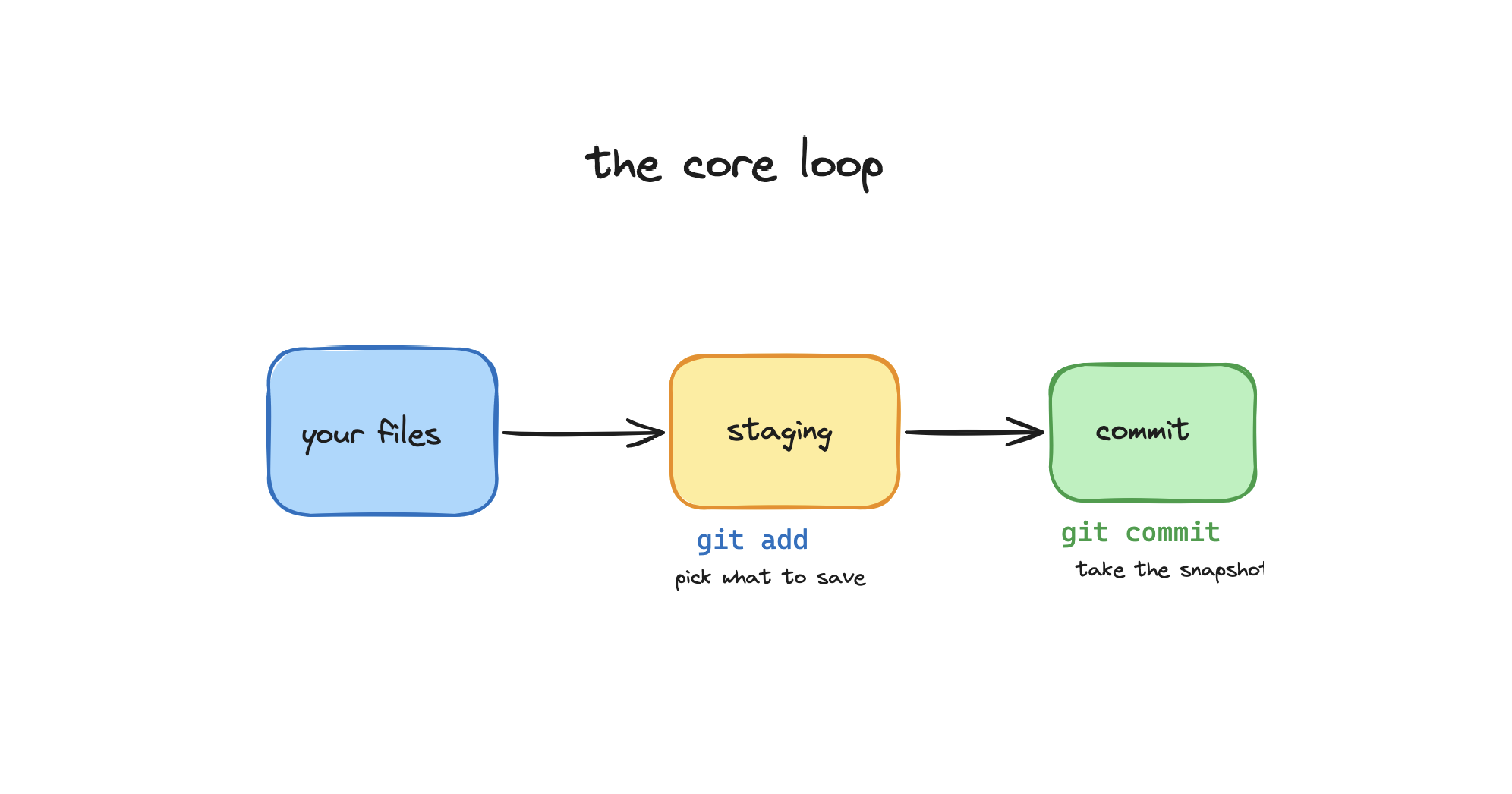
The staging step feels like an extra hoop at first, but it's useful: it lets you choose exactly what goes into each checkpoint instead of dumping everything at once.
Check what changed, stage it, and commit it:
# see what's changed
git status

# stage everything (or name a specific file)
git add .
git add path/to/file.py

# take the snapshot with a short message
git commit -m "add login form validation"
Every commit gets a unique id. List your history and roll back to any earlier checkpoint:
# list past commits, newest first
git log --oneline

# jump back to an earlier snapshot
git checkout 3f8a1c2
When Claude goes off and rewrites half your project, the move is simple: commit the working version first, before you let it loose. Then if the next changes are bad,
git checkoutback to that commit and nothing is lost.
Branches: a safe copy to experiment in
A branch is a separate copy of your code where you can try something risky without touching the version that works. Your stable code lives on main. You branch off, experiment, and if it works you merge it back. If Claude wrecks it, main is completely untouched.
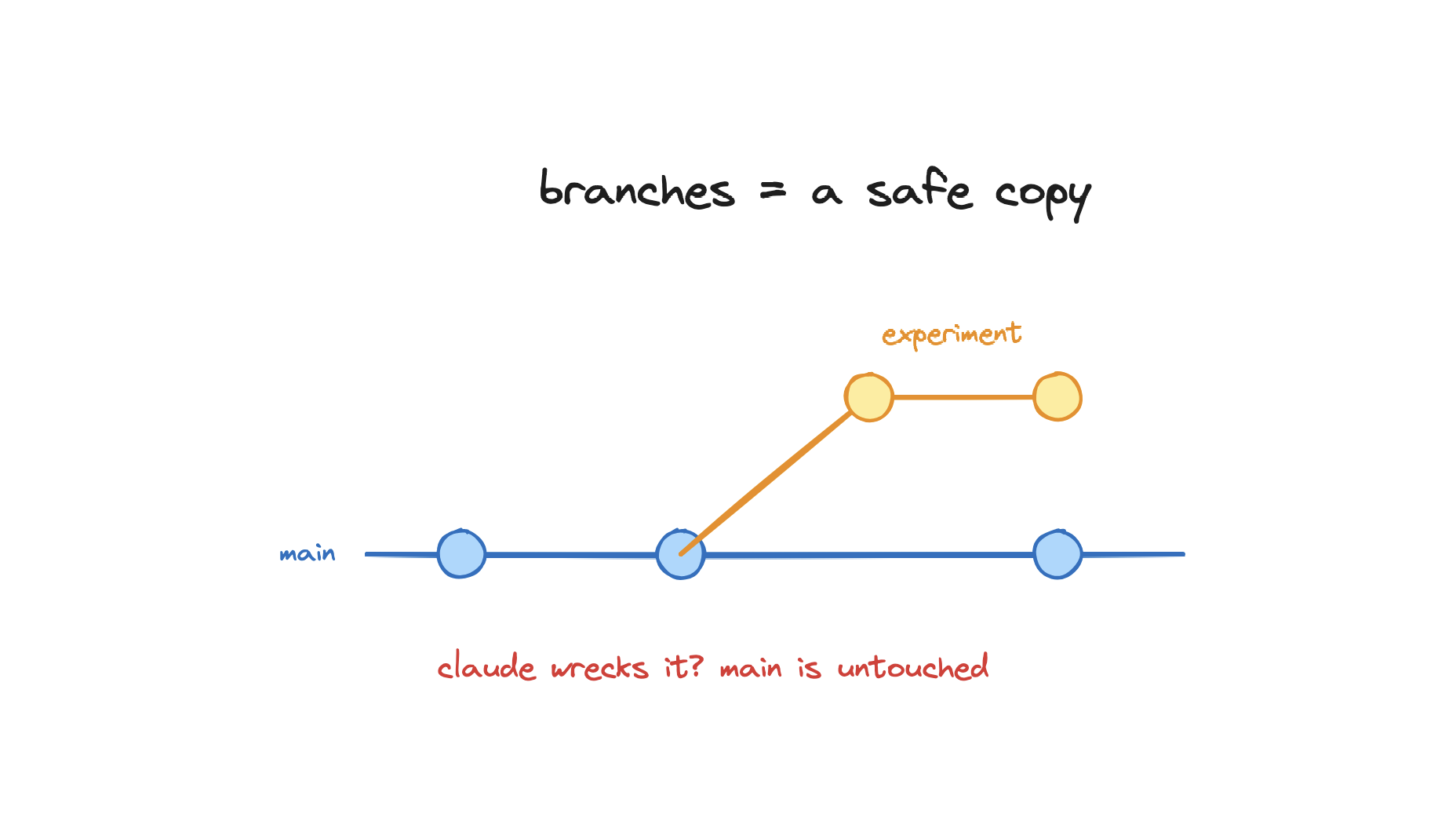
Create a branch, switch to it, do your work, then merge it back into main:
# create a new branch and switch to it
git checkout -b experiment

# ...let Claude build the risky feature here...
git add .
git commit -m "try the new approach"

# switch back to your safe version
git switch main

# pull the experiment in if it worked
git merge experiment

# or throw it away if it didn't
git branch -D experiment
This is the single biggest unlock for building with AI. Risky prompt? New branch. Worst case, you delete the branch and your real work never moved.
Push it to GitHub
So far everything lives only on your laptop. git push sends your commits up to GitHub, which gives you two things: a cloud backup of every checkpoint, and a link you can share with anyone.
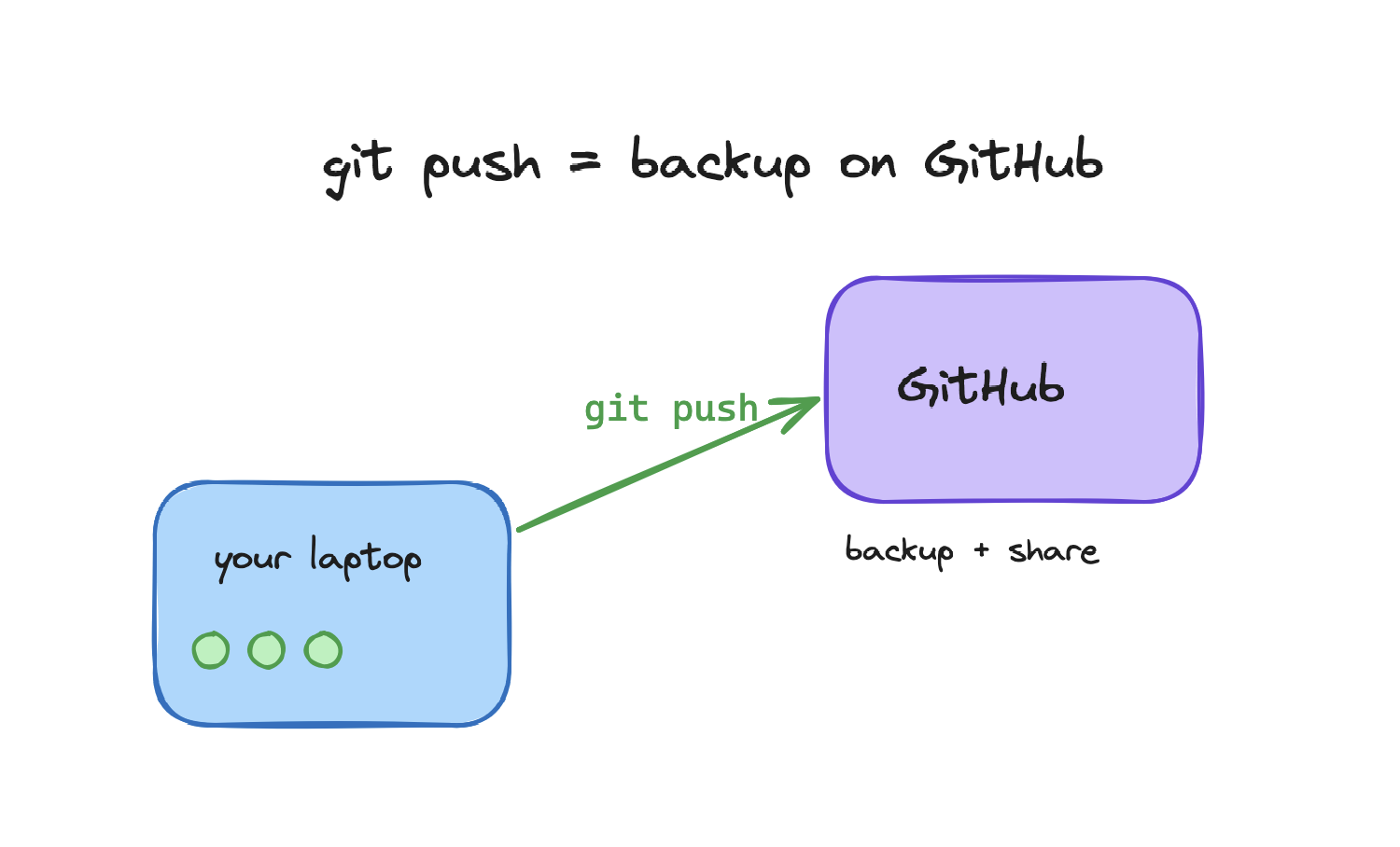
Create an empty repo on GitHub, connect it once, then push. After the first push you only ever need git push:
# connect your local repo to the GitHub one (once)
git remote add origin https://github.com/you/my-project.git

# first push sets the upstream
git push -u origin main

# every push after that
git push
Now your whole history is on GitHub. If your laptop dies, your code doesn't. If someone wants to see it, you send a link.
The everyday cheat sheet
These are the commands you'll actually run, in order, almost every session:
git status                  # what changed?
git add .                   # stage it
git commit -m "message"     # snapshot it
git push                    # back it up to GitHub

git checkout -b name        # branch off to experiment
git switch main             # go back to safe code
git merge name              # bring the experiment in
That's 90% of Git. You can ship for months on this list alone. The next two sections are for when you want to go further.
Going further: worktrees
Normally you can only have one branch checked out at a time. To switch branches you stash or commit your current work first. A worktree removes that limit: it gives you a second folder on disk, checked out to a different branch, sharing the same repo and history.
# create a second working folder on a new branch
git worktree add ../my-project-feature -b feature-x

# see all your worktrees
git worktree list

# remove it when you're done
git worktree remove ../my-project-feature
Now you have your main code in one folder and feature-x in another, both live at the same time. No stashing, no switching back and forth.
Running multiple Claude agents at once
Here's where worktrees get powerful for vibe coding. Each worktree is an isolated folder on its own branch, so you can point a separate Claude Code session at each one and let them work in parallel without stepping on each other.
# one worktree per task
git worktree add ../proj-feature -b feature-x
git worktree add ../proj-tests   -b add-tests

# then open a Claude Code session in each folder
cd ../proj-feature   # agent A builds the feature
cd ../proj-tests     # agent B writes the tests
Agent A builds a feature on feature-x while Agent B writes tests on add-tests. They share the same project history but never touch each other's files. When each one is done, you commit and push its branch independently, then merge both into main.
That's Git for vibe coding. Four commands to never lose work, branches to experiment safely, and worktrees to run a small fleet of agents at once. Set up the basics today, and the rest you pick up as you need it.